
Limit Orders on Leveraged Prediction Markets: Now Live on Ultramarkets
Set a target price, set an expiry, and your leveraged position opens automatically when the market gets there - at exactly the price you chose. Here's how limit orders work on Ultramarkets and what every trader needs to know before using them.
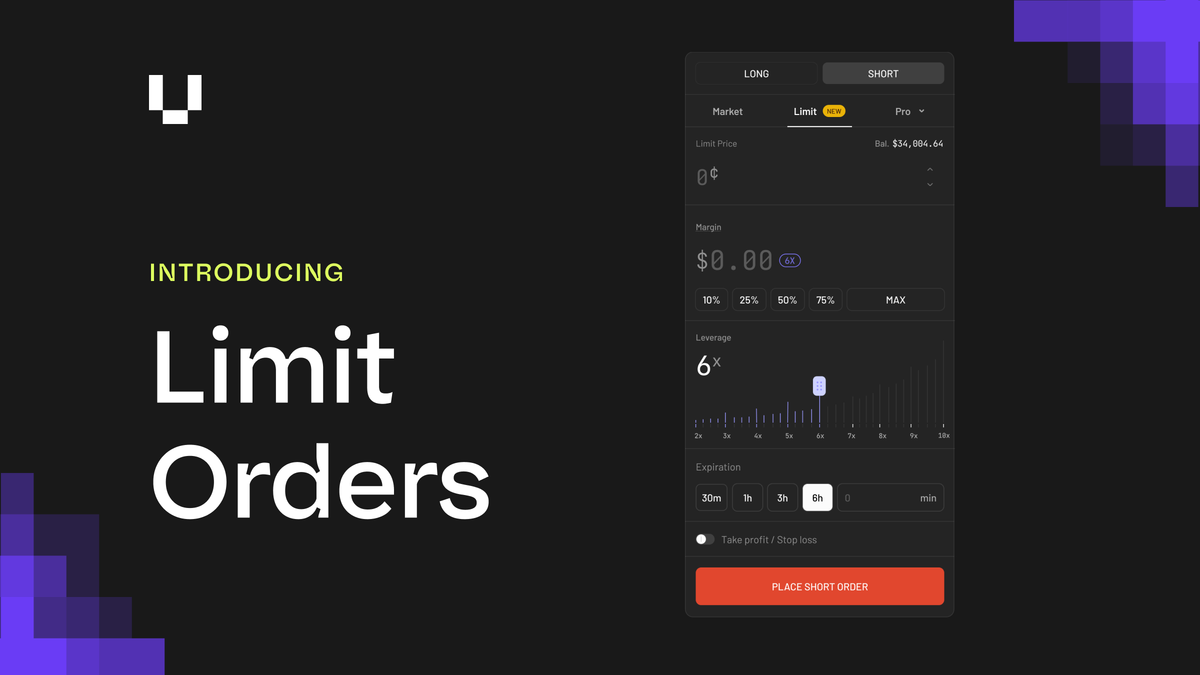
Every position on Ultramarkets has opened at market price - until now.
Limit orders let you trade prediction markets on your terms. Set a target price, set an expiry, and your leveraged position opens automatically when the market gets there.
Why limit orders matter for prediction market traders
On a prediction market, prices swing fast - especially around news events, earnings, or macro data. If you believe a market is mispriced at 72¢ and should be at 60¢, you have two options without limit orders: pay 72¢ now and accept the current price, or wait manually and risk missing the move.
Limit orders solve this. They're standard on traditional exchanges and on Polymarket's native interface - but until now, they weren't available with leverage on Ultramarkets. That changes today.
The leverage angle matters too: at 10x, a 3¢ difference in entry price on a $500 notional position is $15. Limit orders give you precision on the entry that market orders can't.
What shipped
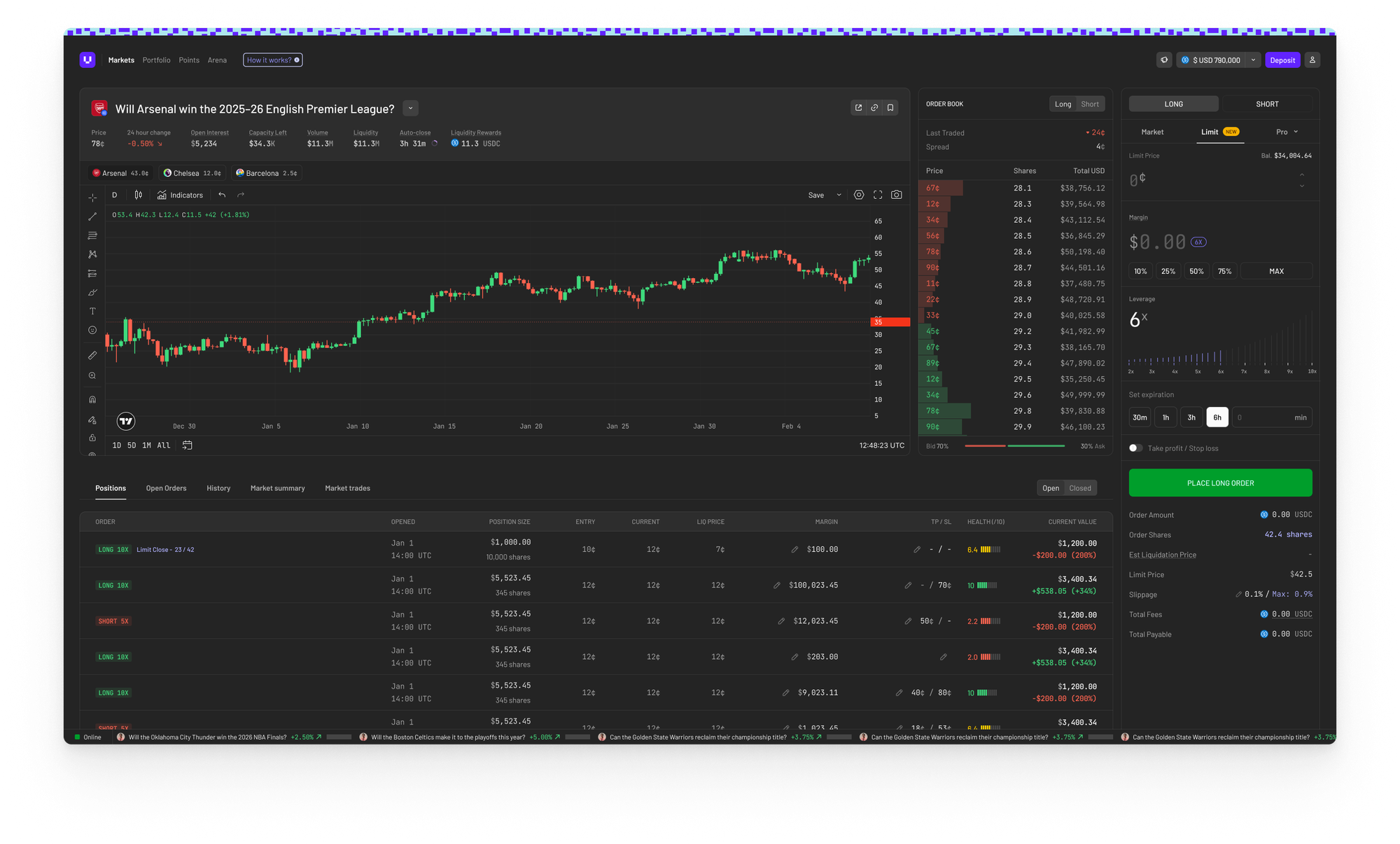
BUY limit orders - open a new leveraged position at a target price you set. Your margin and borrowed capital are committed when you place the order. When the prediction market hits your target, the position opens and health monitoring starts immediately.
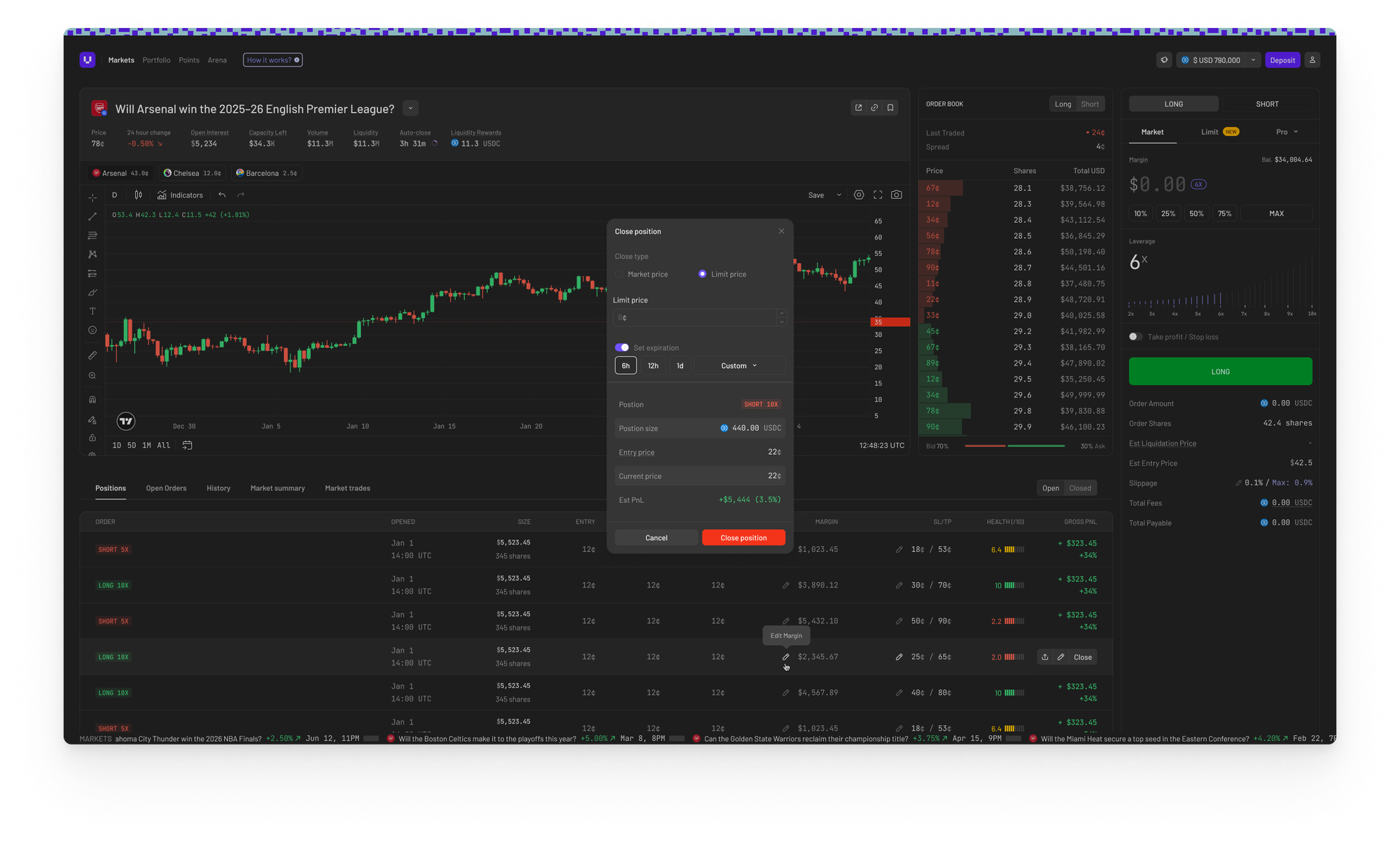
SELL limit orders - close an existing position at a target price. Your position stays fully active - health monitoring on, liquidation protection on - while the order rests. If health drops below the liquidation threshold before your target fills, the system liquidates via market sell as normal.
Partial fills - limit orders on Polymarket's CLOB can fill incrementally. Your position grows with each fill and your entry price is the weighted average across all fills. If the order expires or you cancel before full fill, the unfilled portion is settled and your margin returned proportionally.
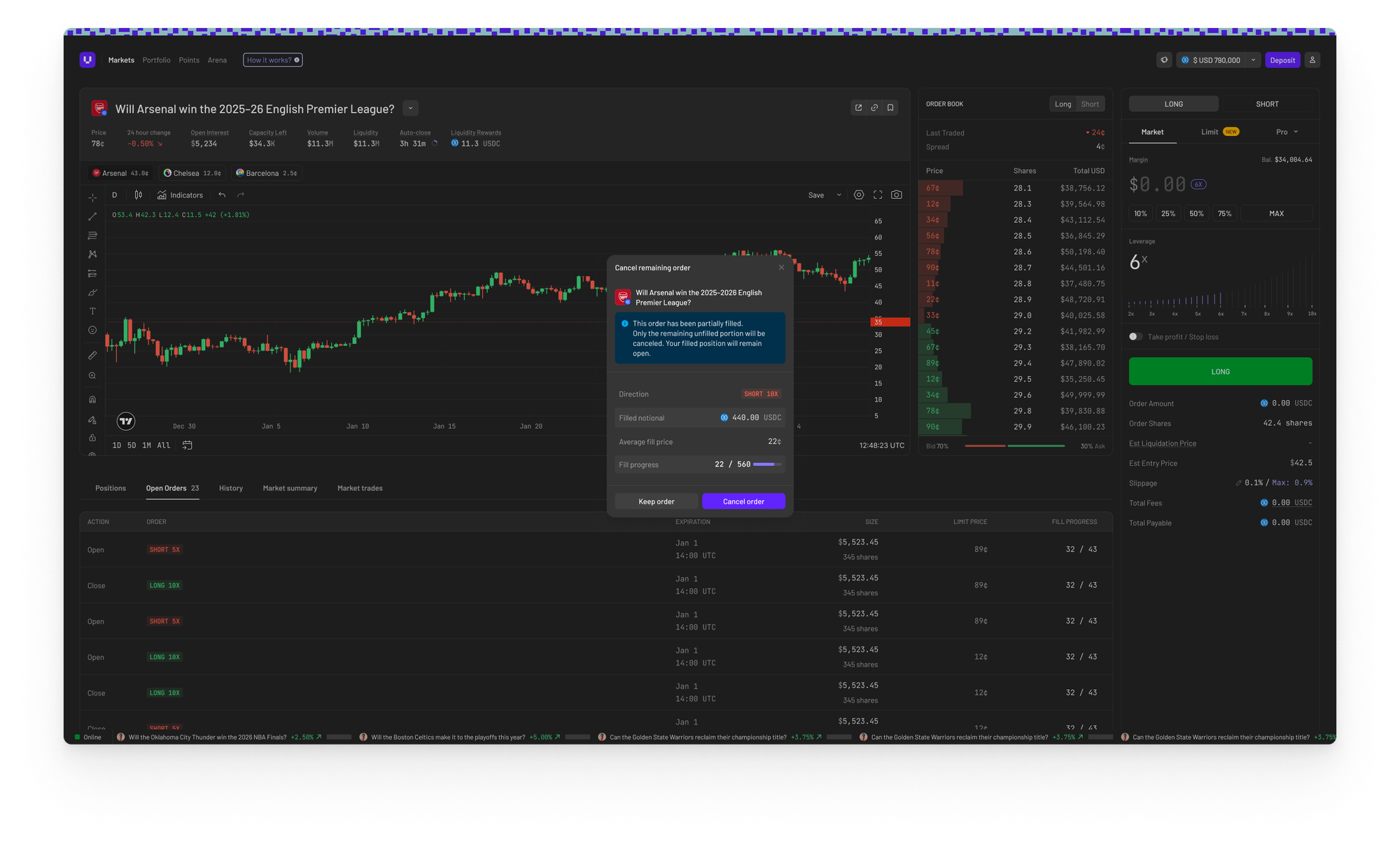
Open Orders tab - a new tab in your portfolio and on each market page showing all your resting orders: target price, fill progress, time remaining, and a one-click cancel button.
Transaction history - limit opens, limit closes, expiries, and cancellations all appear as distinct entries in your history.
How limit orders work on Ultramarkets
When you place a BUY limit order, we place a native resting order directly on Polymarket's order book at your target price. This is worth highlighting: the fill price is exact and guaranteed - we're not watching the price and firing a market order when a trigger condition is met. Your leveraged prediction market position opens at exactly the price you set.
Capital is committed at order creation, not at fill. This is a deliberate design choice tied to how Polymarket's CLOB works - see the FAQ below.
Orders are GTD (good till date). Every limit order has an expiry - the default is 6 hours. You may set the expiry as close to a maximum of 20 minutes before market close. When an order expires unfilled, all capital is returned to your wallet automatically.
Expiry options
When placing a limit order you choose from: 30m / 1h / 3h / 6h or a custom duration. The maximum you can set is 6h to optimize the vault utilization. For markets closing soon, shorter expiry options are automatically disabled if they'd exceed the market close constraint.
Fees
The platform fee (1.5% of margin) is charged at order creation. If your order expires or you cancel with an unfilled portion, the fee is refunded proportionally on the unfilled amount. You only pay for what fills.
Frequently asked questions
Why is my capital locked when the order is placed, not when it fills?
Polymarket requires the wallet placing an order to hold the full USDC backing that order. To place a $1,000 notional order in the book, our funder wallet needs $1,000 USDC available. That USDC comes from the vault borrow at creation. The upside: your fill price is exact and guaranteed because the order rests natively in Polymarket's book. The tradeoff: capital is committed during the pending period. If the order expires unfilled, it all comes back.
What happens if my limit order only partially fills before expiry?
The filled portion becomes a live leveraged position and continues normally - health monitoring, P&L, and liquidation all apply to the filled shares. The unfilled portion is settled: the vault is repaid for that share of borrowed capital, and your margin for the unfilled portion is returned to your wallet. You end up with a position sized to what actually filled.
Can I cancel a limit order after placing it?
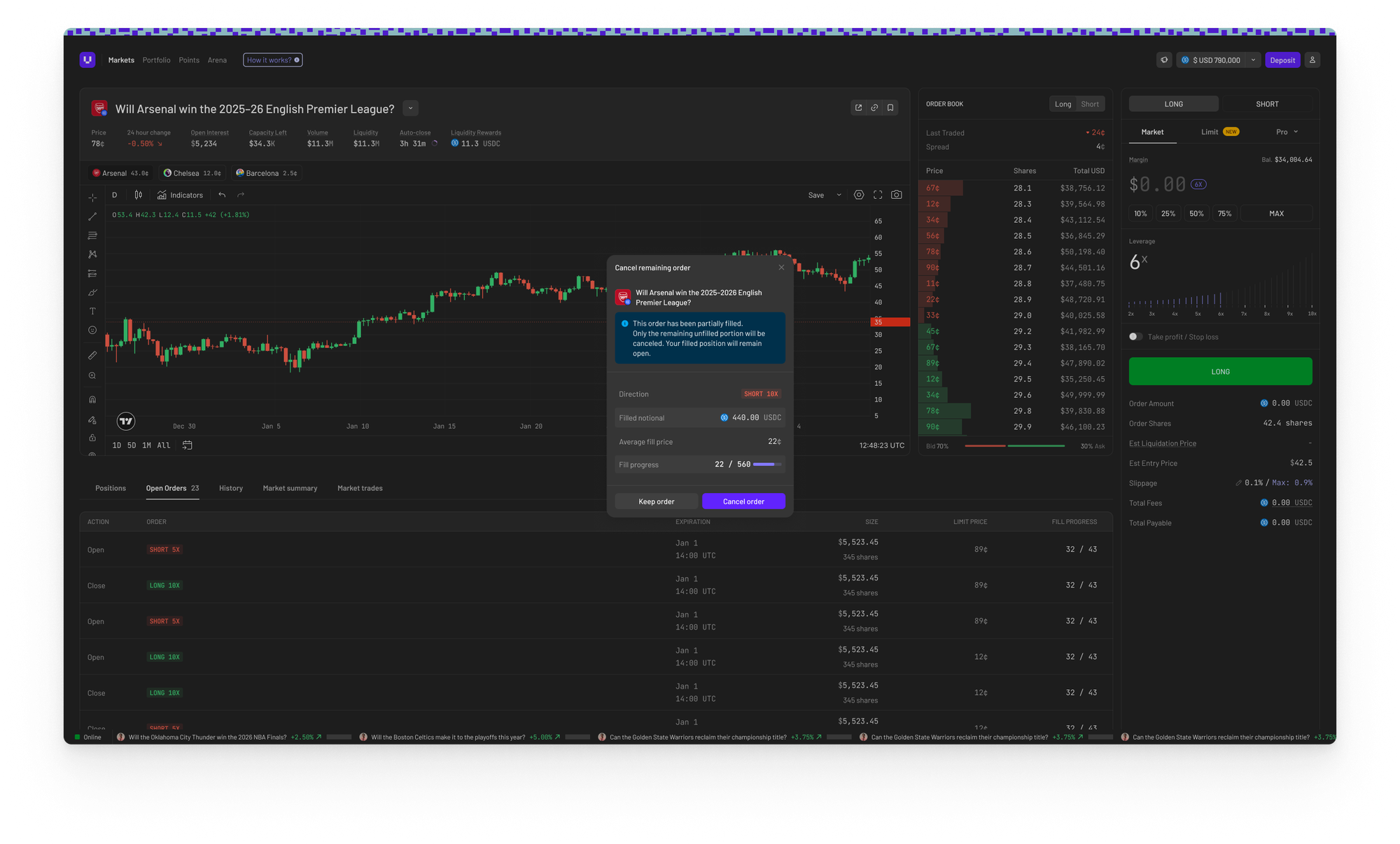
Yes. Go to the Open Orders tab in your portfolio or on the market page and hit Cancel. If no fill has happened, your full margin and platform fee are returned. If the order is partially filled, the live position remains open and only the unfilled portion is settled.
Can I change the target price or expiry after placing?
Not in this release - modify isn't supported yet. To change your target, cancel and re-place. The unfilled margin is returned immediately on cancellation. We will soon be supporting this feature, stay tuned for updates!
What happens to a SELL limit order if I get liquidated?
If your health drops below the liquidation threshold while a SELL limit order is resting, the system liquidates your position via a market sell. The resting SELL limit order is automatically cancelled at the same time. You won't have an orphaned order sitting in the book after liquidation.
What happens if the market enters its forced-close window while my BUY order is resting?
Limit orders cannot be placed within 20 minutes of market close. If your order is already resting and the forced-close window begins, the system cancels the order and returns your capital. You won't be filled into a position that's about to be force-closed.
I placed a limit order. Why does my wallet balance show the debit already?
Margin is locked at creation - this is expected behavior. Your balance reflects the committed capital. If the order expires unfilled or you cancel, it comes back automatically.
Can I have multiple limit orders on the same market?
You can have multiple BUY limit orders on the same prediction market. For SELL limit orders, only one per position - you can't have two resting sell orders against the same position simultaneously.
How do limit orders interact with the health system and liquidation risk?
For BUY limit orders: health monitoring only begins after the first fill. A position in LIMIT_PENDING state (order placed, not yet filled) has no health to monitor. Once filling begins, health is calculated on the filled portion as normal. For SELL limit orders: health monitoring continues on your full position while the order rests - SELL limit orders do not reduce your liquidation exposure until they fill.
What's next
Limit orders are rolling out to Genesis Season traders now. We're watching fill rates, expiry patterns, and how traders use target prices relative to market price - this data will shape how we tune the feature going forward.
Next up: short-term market mechanisms for finance and crypto markets.
As always, if something breaks or behaves unexpectedly, Discord is the fastest path to the team.
Ultramarkets is the first Margin Layer for Prediction Markets. Traders get up to 10x leverage on Polymarket markets. LPs earn yield from fees and liquidations with zero directional exposure.
Comments ()